


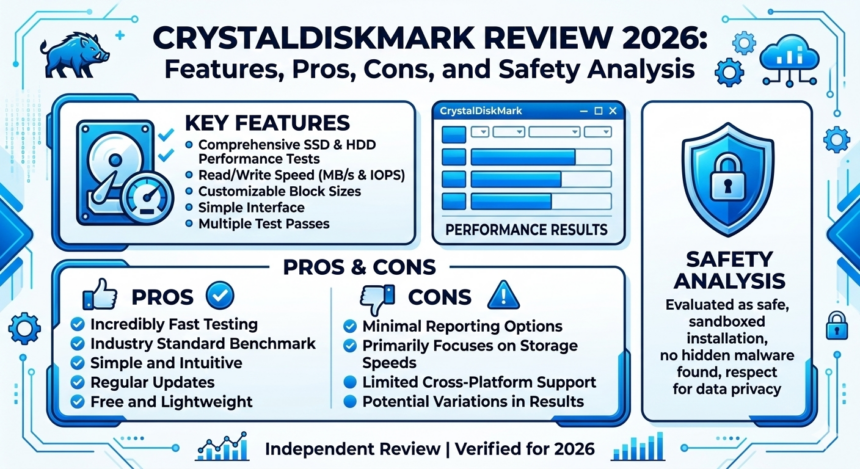
Overview
CrystalDiskMark is a well-known disk benchmarking utility used to measure the performance of storage devices such as HDDs, SSDs, NVMe drives, and USB storage devices. The software helps users evaluate how fast their storage devices can read and write data.
The original CrystalDiskMark software was developed by Crystal Dew World and released in 2007. It is widely used by PC enthusiasts, hardware reviewers, and IT professionals to test storage performance.
The website crystaldiskmark.org provides information about the tool and offers downloads for benchmarking utilities. According to the website, the goal of CrystalDiskMark is to help users measure, analyze, and optimize storage device performance.
However, it is important to note that the official developer website is crystalmark.info, while crystaldiskmark.org appears to be a separate site related to the tool. Some security discussions online advise users to download the software from official or trusted sources.
Key Features of CrystalDiskMark
1. Disk Speed Benchmarking
The main purpose of CrystalDiskMark is to measure the read and write speed of storage drives.
It tests different types of operations including:
- Sequential read/write speeds
- Random read/write speeds
- Multi-threaded operations
These tests help users understand how quickly their storage device can handle different workloads.
2. Supports Multiple Storage Devices
CrystalDiskMark can benchmark many types of storage hardware including:
- Hard Disk Drives (HDDs)
- Solid State Drives (SSDs)
- NVMe drives
- USB flash drives
- External storage devices
This makes the tool useful for comparing different storage devices.
3. Simple User Interface
The software is designed with a straightforward interface. Users simply:
- Select the drive to test
- Choose the test size and number of runs
- Click “Start” to begin the benchmark
The results are displayed in megabytes per second (MB/s), making it easy to interpret performance data.
4. Customizable Benchmark Tests
Advanced users can configure benchmark parameters such as:
- Number of test runs
- File size used for testing
- Queue depth and thread count
This allows more accurate and specialized testing scenarios.
5. Lightweight and Free Software
CrystalDiskMark is an open-source benchmarking tool and is available for free. It requires minimal system resources and can run on most Windows systems.
Pros (Merits)
1. Free and Open Source
The software is completely free and open source, making it accessible to everyone.
2. Accurate Benchmark Results
CrystalDiskMark provides reliable read/write speed measurements for storage devices.
3. Easy to Use
The simple interface allows beginners to perform benchmarks without technical knowledge.
4. Supports Many Storage Types
It works with HDDs, SSDs, NVMe drives, and external USB storage.
5. Widely Used Tool
CrystalDiskMark is commonly used by hardware reviewers and PC enthusiasts worldwide.
Cons (Demerits)
1. Windows-Only Software
CrystalDiskMark mainly supports Windows operating systems and does not provide full support for macOS or Linux.
2. Benchmarking Can Stress Storage Devices
Running benchmarks repeatedly writes large amounts of data, which may slightly reduce the lifespan of SSDs if used excessively.
3. Confusing Website Sources
Some users report confusion between multiple websites offering downloads for the tool, which can create security concerns.
4. Limited Technical Support
Since the software is free, official support is limited compared to commercial benchmarking tools.
Trust and Safety Analysis
Security analysis suggests that crystaldiskmark.org generally appears safe with a valid SSL certificate, but the website has relatively low traffic and limited reputation online.
Because of the existence of multiple websites distributing the software, users are advised to download the program from trusted sources such as the official developer site.
Final Recommendation
CrystalDiskMark is an excellent tool for users who want to test and compare storage device performance. It is especially useful for:
- PC enthusiasts
- Gamers upgrading SSDs
- Hardware reviewers
- IT professionals
- System administrators
However, users should always ensure they download the software from a trusted or official source to avoid potential security risks.
Final Verdict
CrystalDiskMark remains one of the most popular disk benchmarking tools for Windows systems. Its accuracy, simplicity, and free availability make it a valuable utility for testing storage performance.
While the software itself is reliable and widely trusted, users should be careful when downloading it from unofficial websites.